
Have you received a file in eps format? You might not be sure what to do with it. EPS isn’t a format you can open by double-clicking like a JPG file. An EPS file is used for professional graphic design. It’s used for logos, illustrations, and other artwork.
In this article, we will clarify what is an EPS file type and how do I open an EPS file. Also, you will know which programs can open it. Do you need an EPS file for your next project? We can assist you with that through our Raster To Vector Service.
What Is an EPS File Type?
The full form of EPS is Encapsulated PostScript. It is a graphics file format based on PostScript. It’s a page-description language.
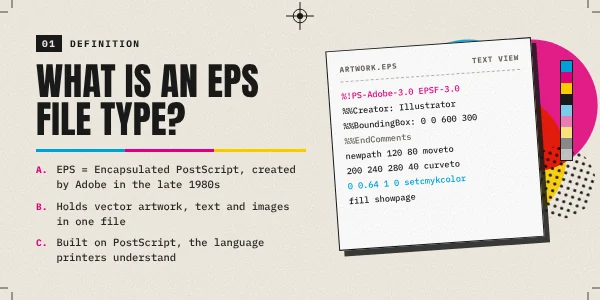
It was developed for describing how text and graphics should be displayed. The good thing is you don’t need to understand PostScript programming to work with an EPS file.
In simple words, an EPS file contains images made from paths, shapes, text, colors, and graphic elements. The final file quality depends on how the file was created.
It can also contain reference raster images. The .eps extension tells you the type of file you’re working with. You can convert raster image to Vector EPS through manual conversion.
How Do I Open An Eps File?
Adobe Illustrator is the industry-standard application for vector graphics. So, we are going to use Adobe Illustrator to explain how do I open an EPS file. Here’s the process.
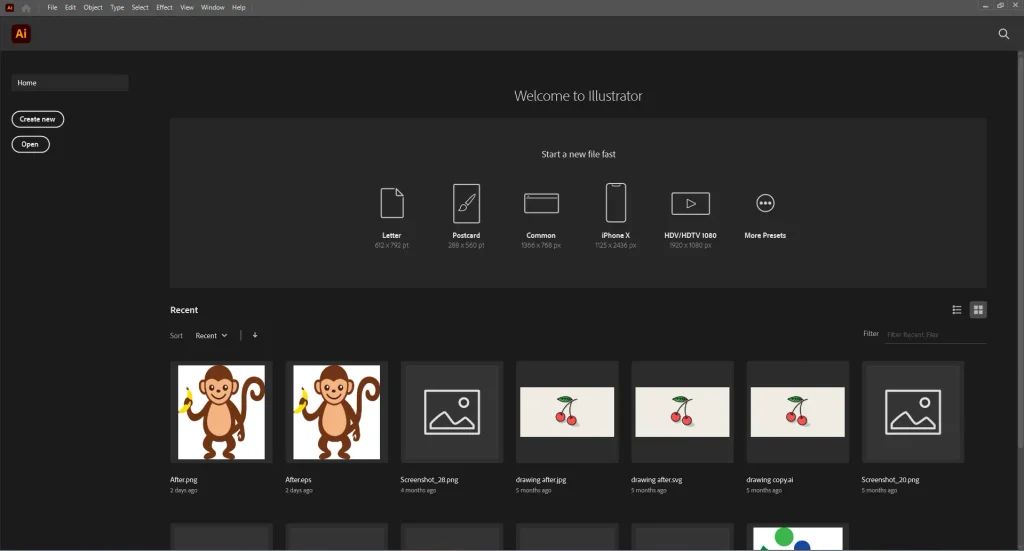
Step 1: Open Adobe Illustrator
First of all, you need to open Adobe Illustrator on your pc. You will get an interface like that.
Step 2: Go to File
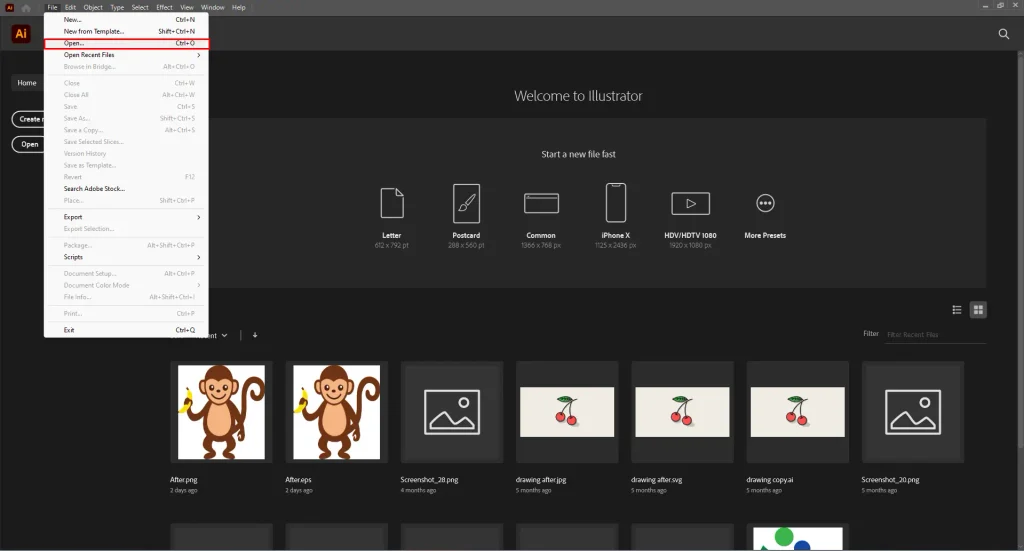
Go to the File option at the top and choose open.
Step 3: Locate your .eps file
Finally, you need to select the EPS file and choose Open.
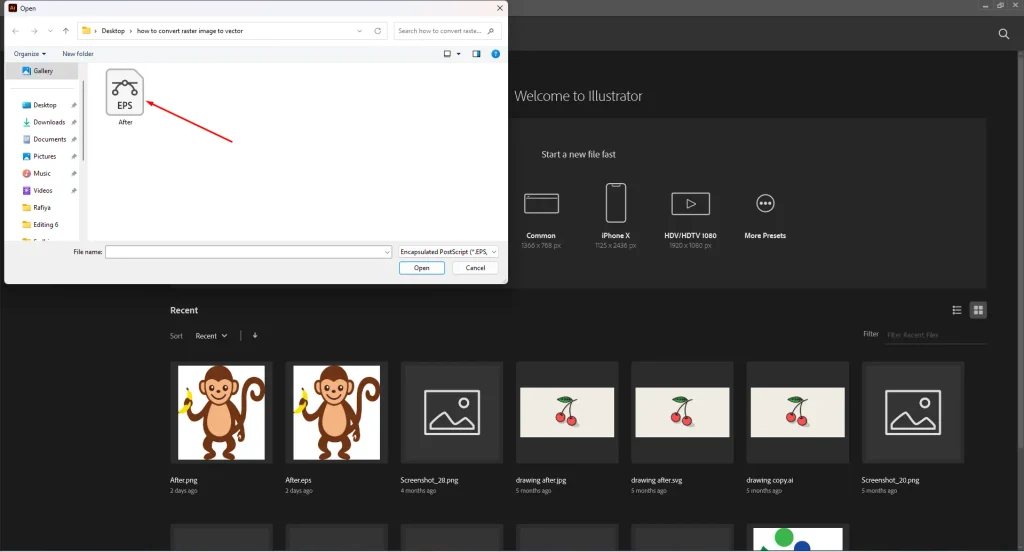
In this process, you can open any EPS file on your computer. If the EPS was created as an editable vector image, you will be able to work with its paths.
Is an EPS File a Vector File?
EPS is used as a vector format. But here’s a twist. Every EPS file isn’t a vector file. A genuine vector EPS can contain paths, curves, shapes, text, and other elements.
You can scale it without the pixelation associated with a raster image. A vector logo stored as an EPS can be enlarged to a large sign along with keeping its paths sharp.
EPS can also contain raster images. So, the file extension isn’t enough to determine whether the file is raster or vector.
A vector EPS can contain vector paths, curves, shapes, lines, text, solid colors, gradients, and other editable graphic elements. We need to open it in a vector editing application to inspect the individual elements.
What Is an EPS File Used For?
EPS file is used for a range of professional design situations. It’s needed when working with a logo, illustration, print file, and artwork provided by a professional graphic designer.
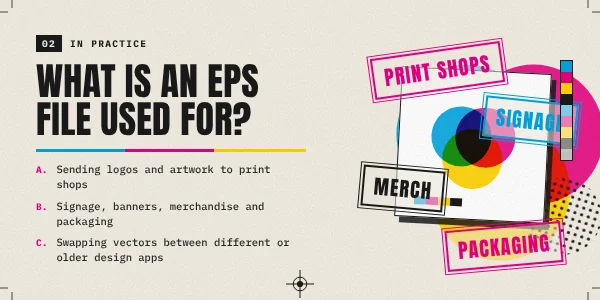
Logos
Logos are created as vector artwork. They need to work at many different sizes. A company logo appears on a website, business card, packaging, uniform, sign, and vehicle.
Having a scalable version makes it easier to use the same file in different applications. EPS is a suitable format to use for this type of artwork.
Professional Printing
EPS has also been widely used in professional printing. A vector EPS contains clean paths. A designer can use it to prepare artwork for printed materials.
It’s used for Posters, Packaging, Brochures, Signs, Promotional materials, and Large-format graphics. EPS is the right format for a particular print job.
Illustrations
Illustrations made from shapes, lines, curves, and other defined elements can be stored as EPS artwork. A simple illustration contains dozens of individual paths.
A vector editing application can work with those elements separately. That makes it possible to change colors, adjust shapes, and modify individual parts.
Sharing Editable Artwork
An EPS file is useful when artwork needs to be passed from one designer to another. Instead of sending a flat JPG, a properly created vector EPS preserves the paths and other design elements needed for future work. You might be thinking how editable the file would be? Well, it depends on how it was created.
Sum Up
So, what is an EPS file type? It’s different from regular common image extensions. It is a graphics format used in professional design. If you need to view an EPS, Adobe Illustrator is the go-to choice.
Do you have a JPG or PNG but need an EPS? We can help you with that by recreating the file type. It will provide the editability you’re looking for. Our vector artist will do that manually.
FAQ’s
Can I open an EPS without Illustrator?
CorelDRAW and Inkscape can open EPS files. Photoshop can also open an EPS by rasterizing it.
Can Photoshop open EPS files?
Photoshop can open EPS files. But it rasterizes the image. If you need to edit individual vector paths, a vector application like Illustrator is appropriate.
Can I edit an EPS file?
If the EPS contains editable vector artwork, you can edit an EPS file. The amount of editing depends on how the file was created.
Why is my EPS file not opening?
The file may be damaged. Your software might have compatibility limitations. You might not have any vector-based application on your device to open the file.